Without the plugin
One session, one writable root
- A change that spans repositories needs one session per repository.
- You carry context between sessions by hand.
- The agent cannot edit the API contract and its client in one turn.
Let a DSH agent read, edit and run commands across several repositories in a single session. The plugin widens the workspace sandbox from one root to a primary root plus N additional roots, and changes nothing else about how the agent works.
The problem
DSH treats the session origin as the only writable root. Work that spans a service, its client and a design system meant juggling sessions.
Without the plugin
With Multi-root Workspace
Features
The plugin answers one question differently: which directories belong to this workspace. Everything built on that answer keeps working.
Multiple roots
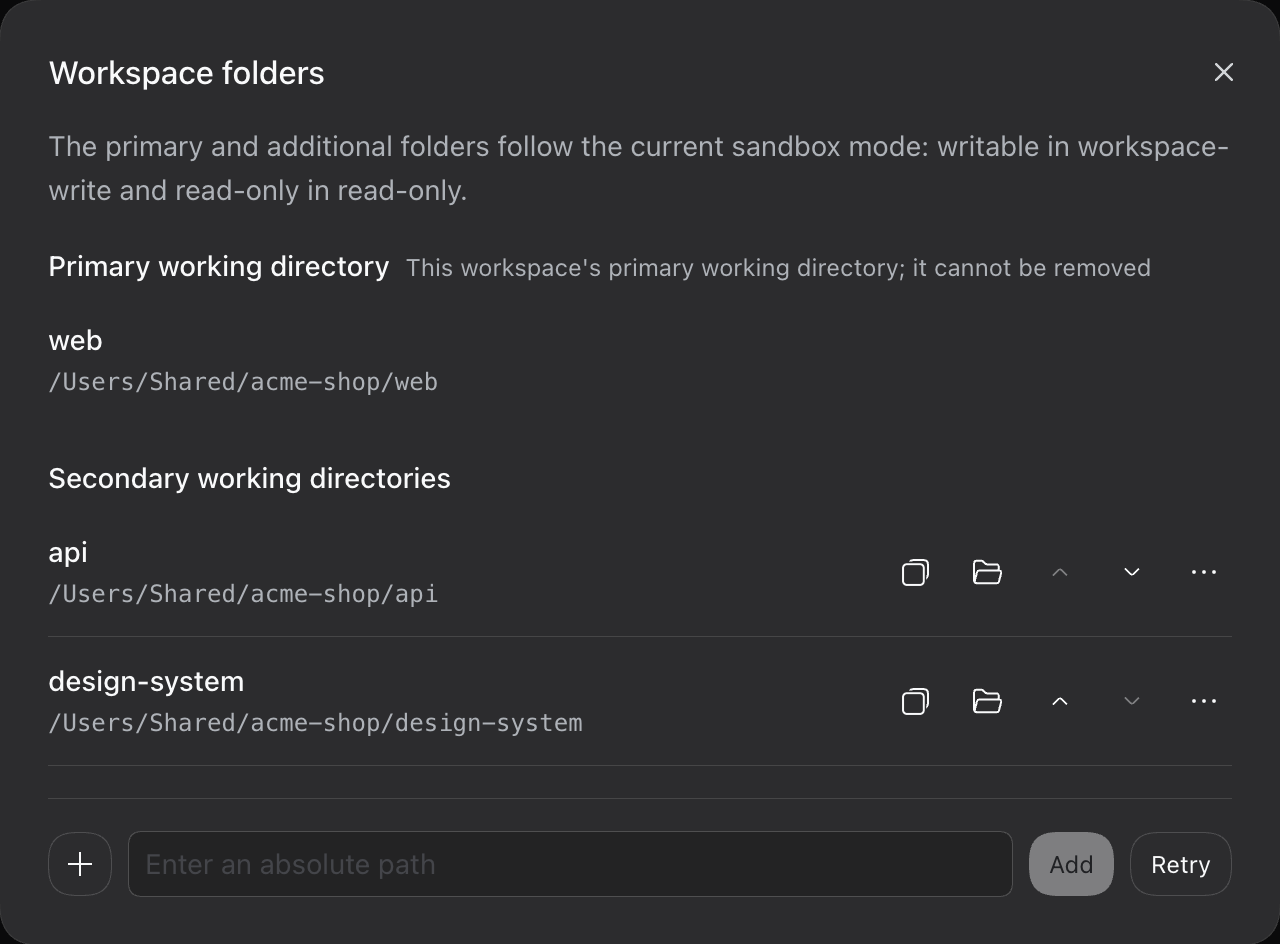
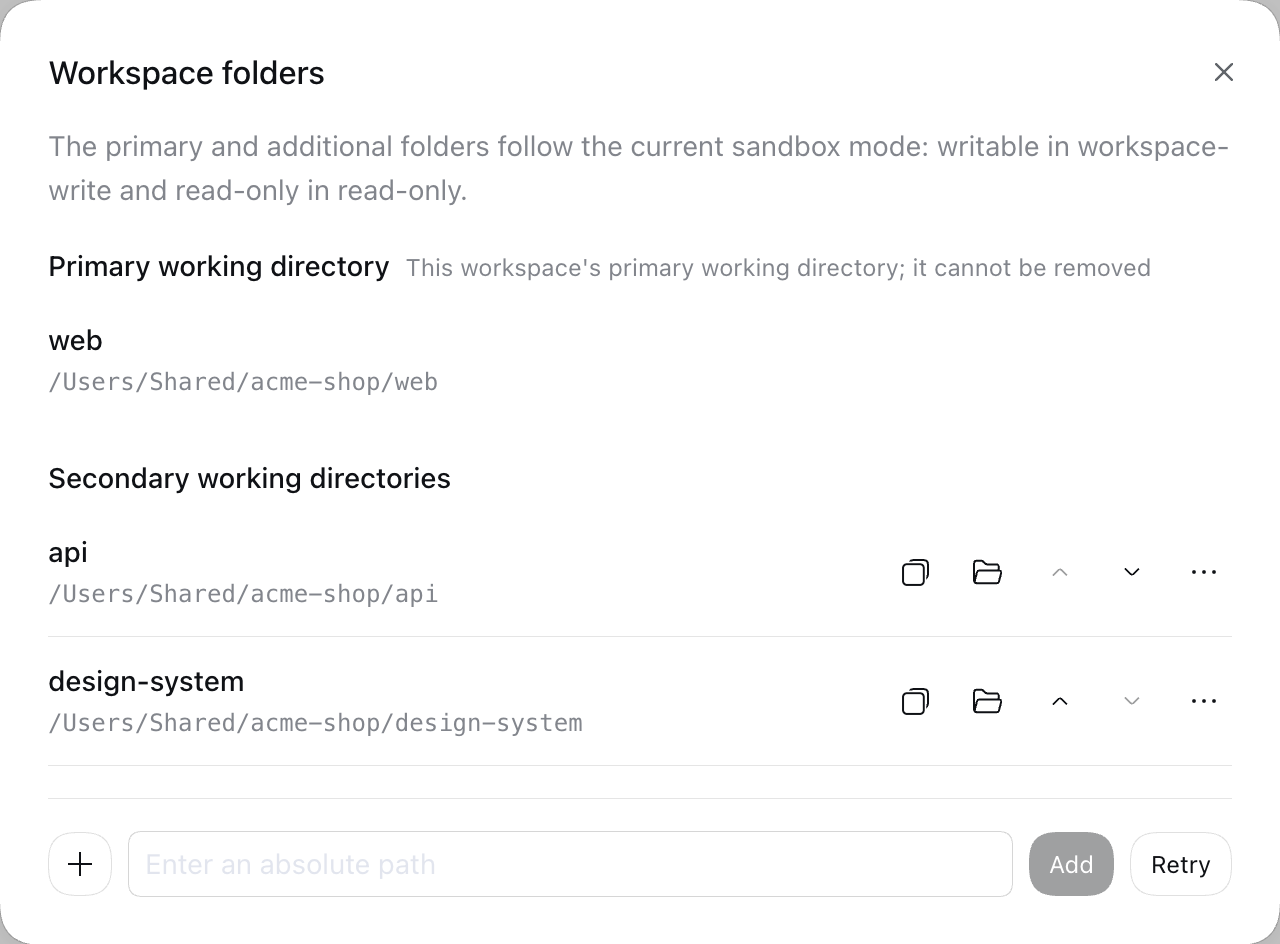
The primary root is the session origin and cannot be removed. Additional roots are canonicalized, checked against the primary root and each other, and kept in an ordered list. Each one can be aliased, reordered, copied or revealed in your file manager.
Native tools
The agent keeps using read, write, edit and bash. The plugin adds no workspace_* tools. It replaces the two sandbox provider rows with subclasses that consult one shared scope, so file tools, bash and the terminal all see the same roots.
Unchanged for the agent
Not added
Widened
which directories belong to this workspace?
Workspace management
Manage roots from a session with /workspace-folders, or from the Folders dialog at the sidebar foot of the Web GUI. Both go through the same validated registry, persisted per primary root, and both show the true state of every root.
# list the primary root and the additional roots /workspace-folders# register, name, remove or reveal a root /workspace-folders add ~/code/another-repo /workspace-folders alias 1 payments /workspace-folders reveal 1 /workspace-folders remove 1Cross-repo workflow
The plugin’s journey test drives a real agent turn across two Git repositories in both the web and headless compositions, using a scripted model endpoint, so it needs no credentials.
Add the other repositories to the session’s workspace.
Describe a change that touches the service and its client.
The agent edits files and runs commands in every granted root.
Each repository keeps its own Git state, so changes stay reviewable.
Workspace instructions
Upstream discovery walks upward from the session directory, so it can never reach an additional root. The plugin adds exactly that missing path, with strict limits.
Security architecture
Additional roots are granted by the same mechanisms the harness already uses, not by prompts and not by switching to full access.
A registration records the canonical directory it was granted for. The scope grants it only while the path still resolves to that directory; a swapped directory or symlink is reported as redirected and not granted.
The in-process fence and the kernel sandbox consume the same scope. A parity matrix test compares the fence’s write decisions with the paths each kernel profile grants.
If the upstream sandbox profile cannot be recognized, the plugin refuses to run the command instead of quietly granting only the primary root. An unsupported DSH release stops the gated rows from starting.
Read-only grants no additional root. Workspace-write grants the primary root plus the registered roots. Full access is upstream’s decision and bypasses the sandbox.
A store-wide kernel lease means only one process grants roots. A contending process publishes an empty scope and rejects changes. Panel requests are tied to a live session, not to a client-supplied path.
Instruction files from additional roots arrive as user-role context and are recorded in the session log like any other model-visible input.
Getting started
The plugin installs through the DSH plugin manager. It is published on npm and works with the web and desktop profiles.
Run this with a supported DSH runtime. Replace the profile for Electron desktop.
Recommended. Pre-built artifacts; the first add needs one allowBuilds answer.
$ dsh plugin --profile web add @dsh-electron/dsh-plugin-multi-root-workspace$ dsh --profile webPre-built offline package. You can also download the same tgz from the GitHub Release.
$ pnpm pack @dsh-electron/dsh-plugin-multi-root-workspace$ dsh plugin --profile web add ./dsh-electron-dsh-plugin-multi-root-workspace-0.1.6.tgzPulls source and builds it through prepare. Needs two allowBuilds answers; pin a tag.
$ dsh plugin --profile web add github:cherrchen/dsh-plugin-multi-root-workspace#v0.1.6Links a local checkout for development. Without a TTY, export CI=true first.
$ git clone https://github.com/cherrchen/dsh-plugin-multi-root-workspace.git$ cd dsh-plugin-multi-root-workspace$ export CI=true$ pnpm install$ pnpm build$ dsh plugin --profile web add "$PWD"The first install stops with ERR_PNPM_IGNORED_BUILDS. The plugin carries one native dependency, koffi, and pnpm 10 and later does not run dependency scripts unless you allow them. Set it to true in that profile’s pnpm-workspace.yaml, then run the install again. This lets that script run on your machine, outside the agent’s sandbox.
allowBuilds: koffi: trueThe Folders action appears at the sidebar foot. In a session you can also use the command.
/workspace-folders add ~/code/another-repo /workspace-foldersThe agent now has the same write rights in that directory as in the session’s own workspace.
--profile web with --profile desktop. GitHub installs need two allowBuilds answers. See the README (opens in a new tab).pnpm dsh instead of dsh.Compatibility
The plugin replaces sandbox providers whose internals carry no semver promise, so it supports exact DSH releases that CI has run — every row below is in the published v0.1.6 package.
| DSH release | Status | Added in | Notes |
|---|---|---|---|
| 0.1.5-rc.2 | Verified | v0.1.1 | Baseline of the compatibility contract. |
| 0.1.6-alpha.1 | Verified | v0.1.1 | Sandbox confinement is asynchronous from this release. |
| 0.1.6-alpha.2 | Verified | v0.1.2 | Same shapes as 0.1.6-alpha.1; panel session lookup fixed. |
| 0.1.7-alpha.1 | Verified | v0.1.2 | Needs adapters: session format 4, in-process plugin packages, bash execute().result(). |
| 0.1.7-alpha.2 | Verified | v0.1.3 | Same shapes as 0.1.7-alpha.1. |
| 0.1.7-rc.1 | Verified | v0.1.3 | Install enforces an exact peerDependencies match from this release. |
| 0.1.7-rc.2 | Verified | v0.1.4 | Same shapes as 0.1.7-rc.1. |
| 0.2.0-rc.1 | Verified | v0.1.5 | DSH 0.2 release candidate. |
| 0.2.0-rc.2 | Verified | v0.1.5 | The runtime inside Rivetdeck 0.2.0-beta.2. |
| 0.2.1-alpha.1 | Verified | v0.1.6 | Dynamic working directories; the registry stays keyed to the session origin. |
| 0.2.1-alpha.2 | Verified | v0.1.6 | Development pin of the plugin. |
| Any other release | Unsupported | — | The gated rows do not start; the harness behaves as if the plugin were not installed. |
Seatbelt profile plus in-process fence
bwrap or Landlock plus in-process fence
Root-set ACL runner (restricted token) plus in-process fence; the confined shell is pwsh
Status is declared per release and never inferred from version order. A green CI run on an unlisted release is evidence, not support. Read the compatibility contract (opens in a new tab) for the rules.
One command to install. No new tools to learn. Remove the roots and it behaves like it was never there.